
BITSAT Admit Card 2025: Download BITSAT Hall Ticket, Date, Direct Link
BITSAT Admit Card 2025: BITS Pilani will release the admit cards for the BITSAT exams online at bitsadmission.com. Candidates can download their hall tickets from May 23, 2025 for session 1 and June 20, 2025 for Session 2.
BITSAT Admit Card 2025: The Birla Institute of Technology (BITS) Pilani will release the Birla Institute of Technology and Science Admission Test (BITSAT) admit card on May 23, 2025 for the Session 1 exam in online mode. The BITSAT 2025 Session 2 admit card will be available from June 20, 2025. The authority will release the admit card on the official website.
Candidates who have successfully registered for the entrance exam can get their respective BITSAT 2025 hall tickets by filling out the necessary details in the login window from the official portal - bitsadmission.com. Aspirants will have to carry their admit card along with them to the examination centre along with valid ID proof.
As per the given schedule, the BITSAT hall tickets for session 1 can be downloaded from May 23, 2025 till exam date. The BITSAT exam which is conducted annually by the BITS Pilani group. Qualifying students get admission to the renowned B.Pharm, B.E., and M.Sc. courses offered by the institute.
BITSAT Admit Card 2025 Release Date
Check the release date for the BITSAT session 1 admit card 2025 and exam dates in the table below -
| Particulars | Dates |
| BITSAT Session 1 Admit Card 2025 Release Date | May 23, 2025 |
| BITSAT Session 1 Exam Dates | May 26 to 30, 2025 |
| BITSAT Session 2 Exam Date 2025 | June 22-26, 2025 |
| BITSAT Session 2 Admit Card 2025 | June 20, 2025 |
BITSAT Hall Ticket 2025: Steps to download
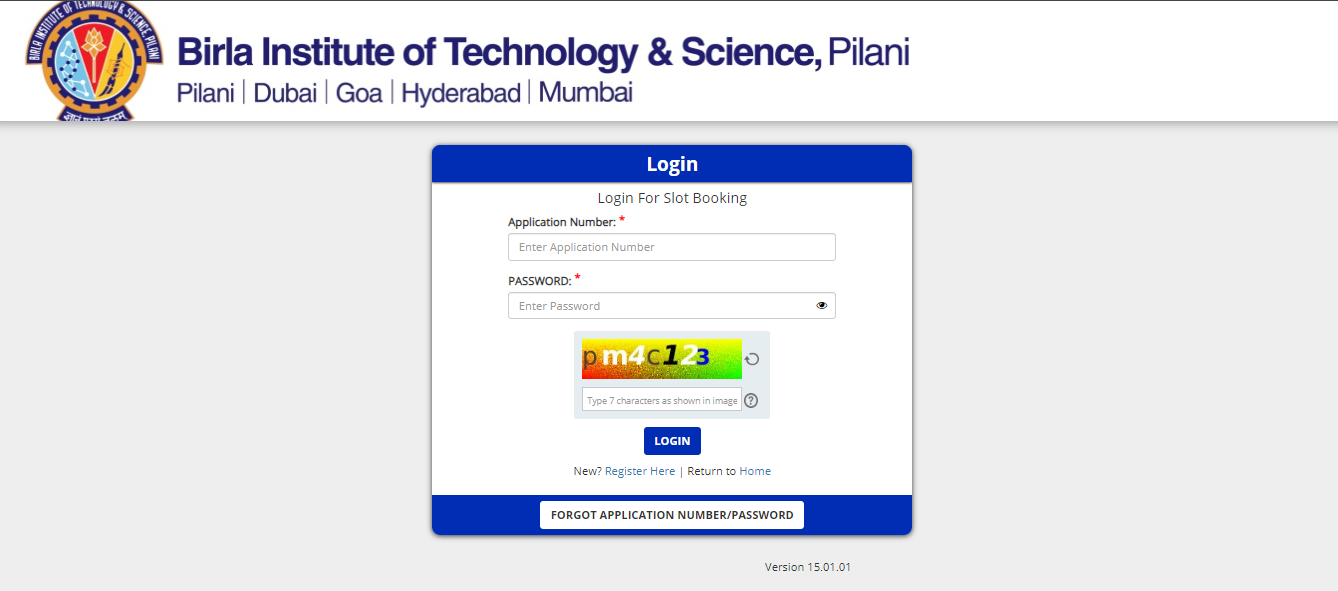
Eligible students need to follow the given steps in order to download the hall ticket successfully. They can check the reference image of the hall ticket login window provided below.
Step 1: Visit the BITSAT official website - bitsadmission.com
Step 2: The link "BITSAT Admit Card 2025" would be provided, select that.
Step 3: After selecting the link, students would be asked to log in by providing their details
Step 4: Click on the submit button to proceed
Step 5: The admit card would be displayed on the screen
Step 6: Check for any discrepancies and if found any, contact the exam authorities
Step 7: Download and print the BITSAT admit card 2025 for future use
BITSAT Admit Card 2025: Important Details
BITSAT Admit Card 2025: What to do in case of any discrepancy?
How to report BITSAT Admit Card 2025 Discrepancies?
BITSAT Admit Card 2025: Details mentioned
BITSAT Admit Card 2025: Guidelines mentioned on hall ticket
BITSAT Admit Card 2025: Documents to carry










Frequently Asked Questions (FAQs)
What documents are accepted as valid IDs for the BITSAT exam?
Students are required to carry valid and updated IDs on the exam day in order to be permitted in the test centre. The accepted IDs should be official and recognized by the Government. Moreover, they should have an updated picture of the candidate.
When will the BITSAT Admit Card for the year 2025 be issued?
The BITSAT 2025 session 1 admit card will be released on May 23, 2025 and and for session 2 will be available from June 20, 2025 on the official website.
Can the exam venue be changed once the admit card has been issued?
No, the allotted test centre cannot be moderated or changed under any circumstances once the admit card is issued to students.
What to do if a student loses the admit card?
Candidates who misplace their BITSAT admit cards can redownload them by going to the official website. Although it is advised that students keep their admit cards safe with them by printing a hard copy until admission is complete.
Is a soft copy of admit card accepted on the day of the exam?
No, only the hard copies of the admit card are accepted on the day of the exam. The student will be denied entry to the test centre if he/she fails to carry the hard copy of the BITSAT admit card.



BITS Pilani overhauls curriculum, introduces new UG, PG courses

BITSAT 2025 registration begins today at bitsadmission.com

UPSC NDA, NA I Admit Card 2025 Out: Websites to check

SBI Clerk Mains Admit Card 2025 Out: Website to check

RRB NTPC Admit Card 2025: When are admit cards releasing?

JEE Main 2025 Session 2 Admit Card: Hall tickets out for these dates at jeemain.nta.nic.in


Loading...