WBJEE Admit Card 2025: The West Bengal Joint Entrance Examination Board (WBJEEB) releases the hall ticket for the WBJEE exam on its official website. Candidates who successfully filled out the WBJEE application form will receive their admit cards. Candidates who are going to appear for the WBJEE exam 2025 must carry their admit cards to the examination centre. WBJEE admit card will be released on April 17, 2025. Candidates can download the hall ticket till April 27, 2025. The WBJEE exam 2025 will be conducted on April 27.
Candidates must note that admit cards must be carried along with Valid ID proof. The admit card contains details like the names of the candidate, roll number, registration number, exam centre & code, and the candidate’s photograph & signature. These details must be verified by the candidates to ensure they all are correct. Any discrepancy in the admit card must be reported to the examination conducting authority.
The exams are around the corner, hence aspirants must start practising WBJEE previous year question papers to ace the exam. Practising mock test papers allows candidates to understand the WBJEE exam pattern & syllabus.
WBJEE Admit Card 2025 Release Date
As per the official calendar released by the board, the WBJEE admit card release date is April 17-27, 2025. Aspirants can find the table below:
|
Events
|
Dates
|
|
Application Form Starts
|
January 22, 2025
|
|
Application Form Ends
|
February 23, 2025
|
|
Form Correction
|
February 25-27, 2025
|
|
Admit Card
|
April 17-27, 2025
|
|
WBJEE 2025 Exam date
|
April 27, 2025
|
|
Answer Key Release
|
May 2025
|
|
Result
|
May 2025
|
|
Counselling Start Date
|
June 2025 |
WBJEE Admit Card 2025 Link
The direct link to download the WBJEE admit card will be available at wbjeeb.nic.in. Registered students will be able to download the admit card using their login credentials.
WBJEE Admit Card 2025 - How to Download?
To download the WBJEE (West Bengal Joint Entrance Examination) admit card, follow the steps below:
- Please visit the WBJEE website at wbjeeb.nic.in.
- The "Download Admit Card" link should be clicked.
- In addition to your WBJEE application number, provide your password and security pin.
- Choose "Sign In" from the options.
- On the screen, your WBJEE admission card will show up.
- Download the admit card, then print it off.
Note: Candidates must carry the admit card to the exam centre along with a valid photo ID proof.
WBJEE Admit Card 2025 - What if I Forgot the Password?
If you have forgotten your password for the WBJEE (West Bengal Joint Entrance Examination), you can reset it and then download your admit card by following these steps:
- Go to the official website of WBJEE - wbjeeb.nic.in
- Click on the link "Download Admit Card"
- Click "Forgot Password" on the login page
- Enter your application number, security question and answer, and your date of birth in the fields provided
- Click on the "Submit" button
- Upon registration, you will receive a verification code via email and your registered mobile number
- Enter the verification code on the next page and click on "Submit"
- You will now be able to reset your password by following the on-screen instructions
- Log in with your new credentials once you have reset your password
- Your WBJEE admit card will now be available for download
Note: If you face any issues during the above steps, you can contact the WBJEE Board for assistance.
WBJEE 2025 Admit Card - Details Mentioned
The information on the admission card must be verified by the applicants after it has been downloaded. The information that applicants must confirm is on their admission card is listed below.
|
Name of the Candidate
|
Gender of the Candidate
|
|
Category of the Candidate
|
Domicile of the Candidate
|
|
Application Number/Registration Number
|
Roll Number
|
|
Course Name
|
Candidate’s Photograph
|
|
Date & Reporting timing of the examination
|
Thumb Impression
|
|
Examination Centre Name & Address
|
Space for Signature
|
|
Exam day Instructions
|
WBJEE Admit Card 2025 - What to do incase of discrepancy?
There are possible chances that you may notice a discrepancy in your admit card. Contact the West Bengal Joint Entrance Examinations Board (WBJEEB) officials right once if you notice any discrepancies on your WBJEE admission card. You may get in touch with them via email or by calling the helplines listed on their official website.
As an alternative, you can go in person to the WBJEEB office to report the error and get it fixed. It is crucial to respond quickly since any errors on the admission card may prevent you from taking the examination or cause other problems while you are taking it.
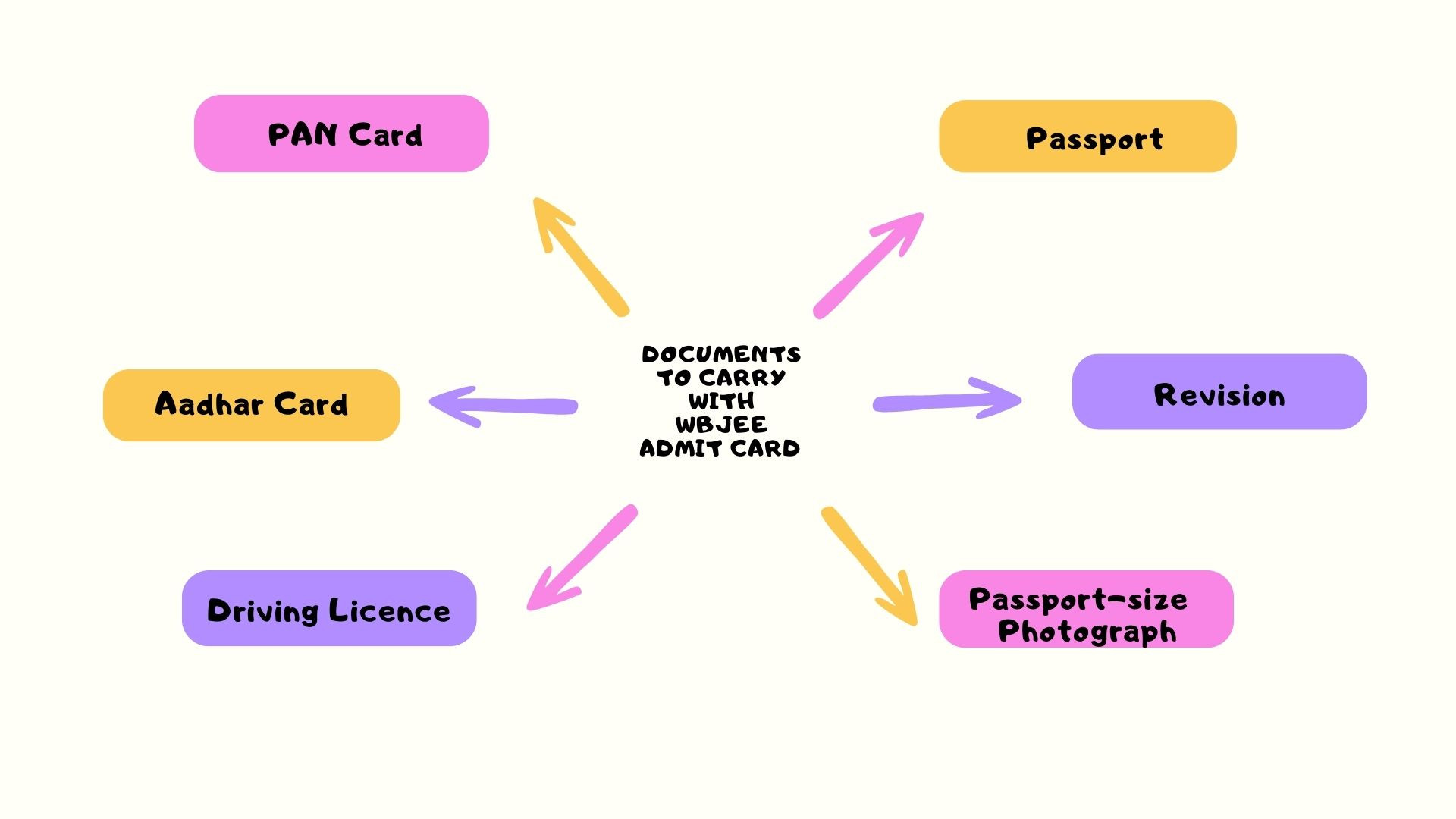
Aspirants for the WBJEE exam 2025 must also have a picture ID card with them. We urge you to make the appropriate arrangements for papers in advance to prevent a last-minute rush. Documents to carry with WBJEE 2025 admit card are as follows:
WBJEE Exam Day Instructions
Interested candidates can check the important exam day instructions. Aspirants must adhere to the below-mentioned exam day guidelines as not following them can result in rejection of the candidature by the board.
- Applicants are recommended to be at the examination venue at least 30 minutes prior to the start of the exam.
- To avoid any inconveniences, if any, on the day of the exam, be certain of the precise location of your examination facility and your method of transportation.
- No applicant will be permitted to take the exam at a location other than the one that was assigned to him or her and is noted on the admit card.
- Any applicant discovered to be sitting in a different location than the one designated for him or her will have his or her paper cancelled.
- Carry the following documents to enter the examination centre:
- A printed copy of admit card.
- A copy of the colour photograph as was uploaded during online application.
- Any photo identity card in original such as Aadhaar card/ Pan card / Passport/ voter card/ 10th standard admit card/ School – ID card.
- When entering the centre, frisking may be done to check for forbidden items.
- It is recommended that candidates take their seats at least 15 minutes before the exam starts.
- Under no circumstances may a candidate be permitted to enter the Examination Centre after the scheduled hour of the Test.
- Inside the exam room, candidates are not permitted to have any written or printed materials, calculators, pens, log tables, wristwatches, or other communication devices like mobile phones or Bluetooth devices.
- Any candidate discovered in possession of such materials will have their candidature immediately withdrawn.
- Question booklets will be made available well in advance of the test's start. Check your OMR number against the question booklet number by removing the OMR sheet. Ask the invigilator to replace the entire set from the same series, such as A/B/C/D, if necessary.
- At the top of the question booklet, sign your name.
- Read the instructions carefully on the OMR and on the front page of the question booklet.
- The question booklet number and roll number should be written where they belong on the OMR. The Board shall not be held liable for incorrect scoring or OMR rejection due to incorrectly entered question booklet and roll numbers.
- Darken the question booklet number, roll number, and series (e.g., A/B/C/D) circles.
- On the OMR, type your name in BLOCK LETTERS, the name of the centre, and your signature in the proper spaces. Do not make any stray marks; doing so might cause the OMR to be rejected.
- Verify that the roll number, picture, and spelling of your name on the attendance sheet correspond to the information on your admissions card. Bring any necessary corrections to the invigilator's attention.
- Only when the exam has started and according to the invigilator's announcements are question booklets permitted to be accessed. Examine every page of the question booklet. Ask your invigilator to replace the entire set from the same series (for example, A/B/C/D) if the question booklet has any damage, a missing page, or is otherwise difficult to read.
- Be quiet throughout the test. Any interaction, gesticulation, or inciting of commotion will be considered a misdemeanour. Any applicant whose candidature is judged to have been obtained unfairly will have it withdrawn, and/or the Center-in-Charge may restrict them from applying in the future permanently or for a certain amount of time.
- With reference to any question, no conversation with the invigilator is permitted.
- In the area designated in the question booklet, candidates may do rough work.
- Once the exam is over, no applicant may get up from their seat without the invigilator's consent.
- No candidate is allowed to leave the room until the exam is over and the invigilator has gathered and totalled all OMRs.
- After the test, candidates are permitted to keep their question booklet.
- Any examinee who is caught impersonating someone else will be turned over to the authorities, and the actual candidate's candidature will be completely revoked.
WBJEE Admit Card 2025 - General Instructions About Documents
Candidates must check the below given general instructions regarding candidates exam documents;
- Candidates must bring their original documents to the exam center - confirmation pages, admission cards, rank cards, caste/category/domestic/income certificates, etc.
- Candidates must keep their all documents safely as they will not be able to download their confirmation page after the exam and they will also not be able to download their rank card after the completion of the counselling process.
- The confirmation page, admit card and rank card involves the personal information which is provided by the candidate during the online application. If candidates fill wrong information in the application form then they will not be allowed to give the exam.
- The board will not approve the candidates personal details on confirmation page, rank card and other documents. The verification will be done by the assigned institute, during the counselling process.
- Candidates will not be able to help candidates if any problem occurs during admission, counseling process or if they fill wrong information during online application.
WBJEE Admit Card 2025 - Things to Carry
Candidates are advised to carry below given following things along with them to the examination centre on the day of exam;
- Any government approved Id proof.
- Print copy of admit card.
- Candidate passport size photograph.